Advertisements

How I Built the Perfect Ergonomic Travel Kit to Work From Literally Anywhere
Here’s a stat that honestly blew my mind — over 35 million Americans now describe themselves as digital nomads, according to MBO Partners. That’s a massive number of people hunching over laptops in coffee shops, airport lounges, and hotel rooms. I was one of them, and my back was paying the price big time!
Look, I spent two years working remotely on the road before I finally got serious about putting together an ergonomic travel kit that actually let me work anywhere without wrecking my body. It took some trial and error — okay, a LOT of error — but I finally nailed it. Let me walk you through what I learned so you don’t have to suffer through the same neck pain I did.
Why Your Body Hates Your Current Travel Setup
I remember sitting in a hotel in Denver, working on my laptop flat on the desk for about six hours straight. By evening, my shoulders were practically glued to my ears and my lower back felt like it belonged to someone thirty years older. That was my wake-up call.
The problem is simple. Laptops were never designed for long-term ergonomic use because the screen and keyboard are way too close together. When you’re traveling, this gets even worse since you’re often stuck with furniture that wasn’t built for productive work sessions.
Advertisements
Poor posture during remote work leads to musculoskeletal issues that compound over time. We’re talking about things like text neck, carpal tunnel syndrome, and chronic lower back pain. And trust me, none of that is fun to deal with when you’re trying to enjoy a new city.
The Essential Items in My Ergonomic Travel Kit
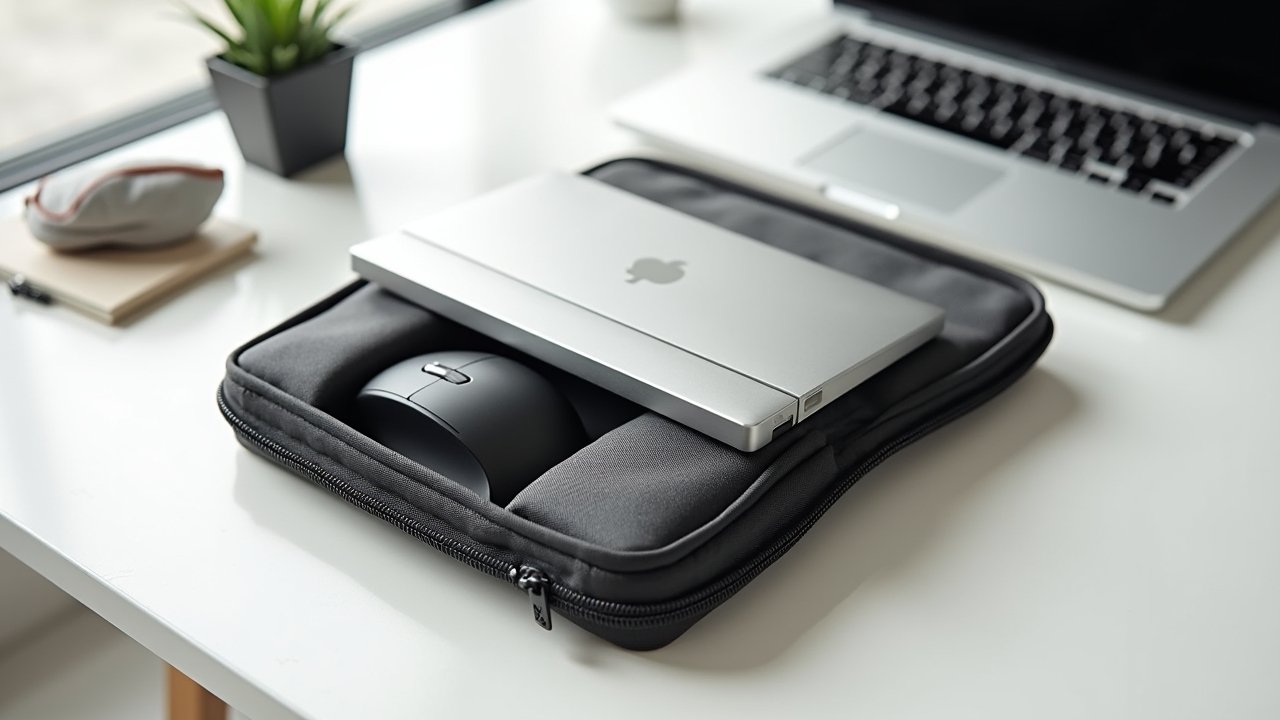
After months of testing different portable ergonomic accessories, I settled on a kit that weighs under four pounds total. That was non-negotiable for me — if it’s too heavy, you just won’t bring it.
- Portable laptop stand — I use the Nexstand K2, which folds down to basically the size of a water bottle. It raises your screen to eye level, and that single change is a game-changer for neck strain.
- Compact wireless keyboard — A slim Bluetooth keyboard like the Logitech K380 lets you type at a natural wrist angle when your laptop is elevated.
- Travel mouse — Ditch the trackpad. A small ergonomic mouse reduces wrist fatigue significantly during long work days.
- Lumbar support cushion — This was the item I resisted buying the longest, and it was probably the dumbest delay of my life. A small inflatable lumbar pillow takes up zero space and transforms any random chair.
- Blue light glasses — Optional but honestly, my eyes thank me every evening.
How I Actually Pack and Use Everything
Here’s where I messed up early on. I bought great ergonomic travel gear but packed it at the bottom of my bag, so I never actually pulled it out. Rookie mistake.
Now everything lives in a dedicated pouch that sits right at the top of my backpack. Setup takes me about ninety seconds — laptop on the stand, keyboard in front, mouse to the side, lumbar cushion behind me. It’s become automatic, like brushing my teeth.
One tip that nobody told me: scout your workspace first. When I arrive at a co-working space or café, I spend thirty seconds finding a chair with decent height and a table that isn’t wobbly. That little bit of effort upfront makes everything else work so much better.
Budget-Friendly Alternatives That Still Work
I get it — not everyone wants to drop $150 on a full portable ergonomic setup right away. When I was starting out, I literally used a stack of books as a laptop riser and a rolled-up towel for lumbar support. Was it perfect? No. But it was worlds better than nothing.
The most important investment, if you can only buy one thing, is the laptop stand. Getting that screen up to eye level fixes probably 60% of your posture problems in one move. Everything else can be added gradually.
Your Back Will Thank You Later
Building an ergonomic travel kit isn’t just about comfort — it’s about protecting your ability to keep working remotely for years to come. Start with whatever you can afford, tweak it as you go, and make setup a non-negotiable habit.
Everybody’s body is a little different, so don’t be afraid to customize your kit based on what feels right for you. And if you’re hungry for more tips on creating healthier workspaces wherever life takes you, head over to the Ergonomic Flow blog — we’ve got plenty more where this came from!