Advertisements

The Ultimate Sit Stand Desk Converter Guide: Everything I Wish I Knew Before Buying
Here’s a stat that genuinely freaked me out — sitting for more than 8 hours a day increases your risk of premature death by up to 60%, according to the World Health Organization. I was clocking way more than that. So when I first heard about sit stand desk converters, I honestly thought they were some kind of gimmick.
Spoiler alert: they’re not. These things completely changed how I work, and I’m kicking myself for not getting one sooner!
Whether you’re dealing with lower back pain, neck stiffness, or just that awful 3 p.m. energy crash, a standing desk converter might be exactly what you need. Let me walk you through everything I’ve learned — including the mistakes I made so you don’t have to.
What Exactly Is a Sit Stand Desk Converter?
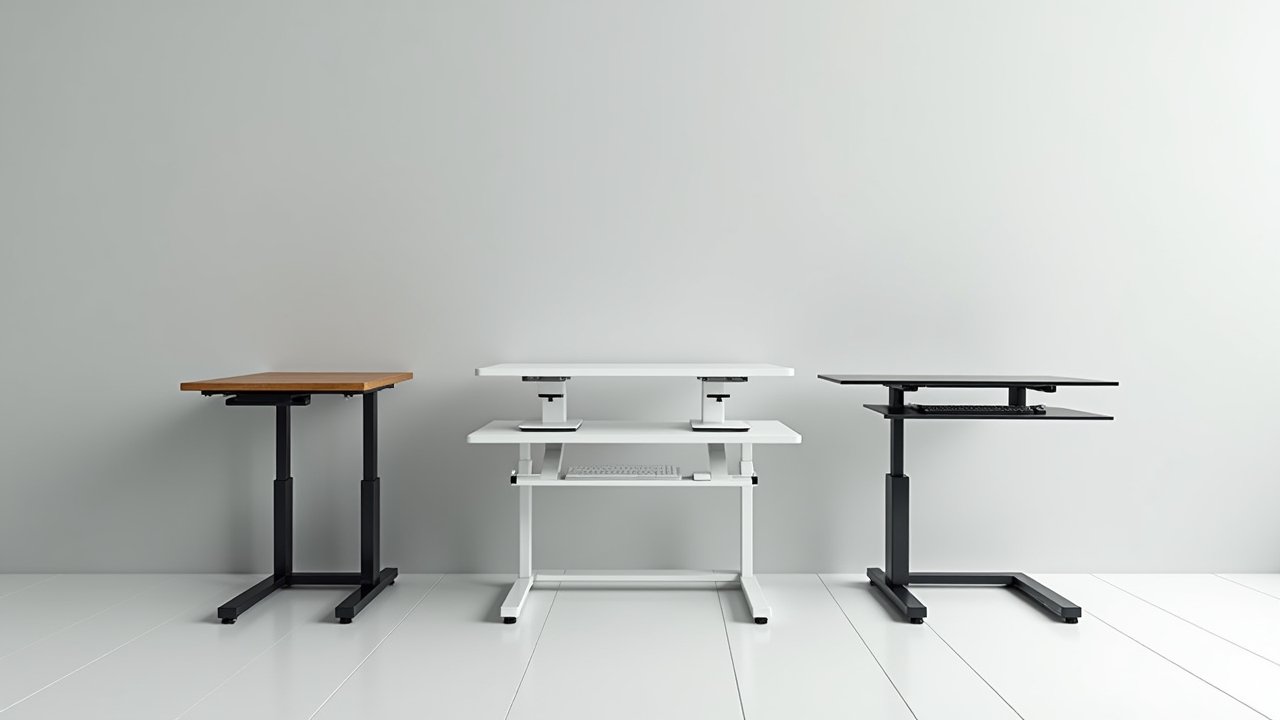
A sit stand desk converter is basically a unit that sits on top of your existing desk and lets you switch between sitting and standing positions throughout the day. Unlike a full standing desk, you don’t have to replace any furniture. You just plop it on there and you’re good to go.
Advertisements
Most models use either a gas spring mechanism or an electric motor to adjust height. The gas spring ones are more common and usually more affordable. I started with a cheap one from Amazon that wobbled like crazy — lesson learned.
Why I Switched (And Why You Probably Should Too)
I’d been teaching for over 15 years and spending my evenings grading papers hunched over a desk. My lower back was absolutely wrecked. A physical therapist told me that alternating between sitting and standing could make a huge difference for my posture and spinal health.
She was right. Within about three weeks of using my converter, that nagging ache between my shoulder blades started fading. I also noticed I was way more alert during those late-night grading sessions, which was a nice bonus.
Key Features to Look For
Not all desktop standing desk converters are created equal. Trust me on this one. Here’s what actually matters when you’re shopping around:
- Height adjustment range: Make sure it goes low enough for comfortable sitting AND high enough for your standing elbow height. Most ergonomic guidelines from OSHA recommend your elbows at roughly 90 degrees.
- Workspace surface area: If you use dual monitors, you’ll need at least 35 inches wide. I made the mistake of getting a 28-inch model first and my second monitor was literally hanging off the edge.
- Weight capacity: Factor in your monitors, keyboard, and whatever else lives on your desk. Most converters handle 25-35 pounds.
- Keyboard tray: This is non-negotiable for me. A two-tier design with a separate keyboard platform keeps your wrists in a neutral position.
- Stability: Give it a shake test if you can. Wobbling at standing height is super annoying and honestly kind of concerning.
Common Mistakes People Make
The biggest one? Standing all day long. I was so excited about my new setup that I stood for like six hours straight on day one. My feet were absolutely screaming by dinner time. The sweet spot is alternating every 30 to 60 minutes.
Another thing — don’t forget about an anti-fatigue mat. Standing on a hard floor without one is brutal on your joints. I grabbed a basic one for about $30 and it was a game changer.
Also, monitor height gets overlooked constantly. Your screen should be at eye level when standing, so you might need a monitor arm or a simple riser. Neck strain from looking down defeats the whole purpose of this ergonomic upgrade.
Who Are These Best For?
Honestly, sit stand desk converters are perfect for people who can’t or don’t want to buy a whole new adjustable height desk. Renters, office workers, teachers working from home — basically anyone who wants the health benefits of a standing desk without the commitment or cost. Most decent converters run between $150 and $400, compared to $500+ for a full electric standing desk.
Your Back Will Thank You Later
Look, I’m not gonna pretend a desk converter will solve all your problems. But combined with good habits — regular movement breaks, proper monitor placement, and a decent chair for when you do sit — it’s been one of the best investments I’ve made for my workspace.
Everybody’s setup is different, so take what works from this guide and make it your own. And if you’re hungry for more tips on creating a healthier workspace, head over to Ergonomic Flow where we’re always diving into this stuff. Your body deserves better than another decade of slouching!