
Advertisements
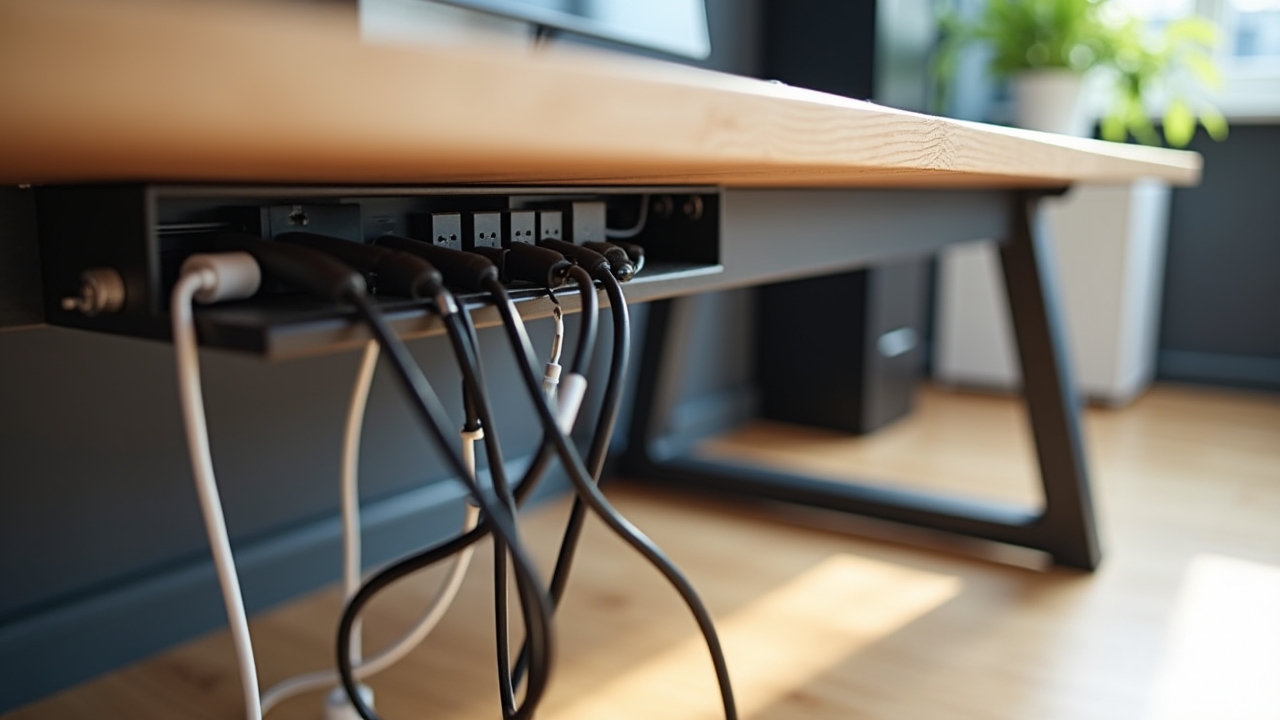
Cable Management for a Clean Ergonomic Desk: How I Finally Tamed the Chaos
Here’s a stat that honestly blew my mind — the average desk setup has between 5 and 10 cables snaking around at any given time. I counted mine once and hit 11. Eleven! Between the monitor, keyboard, mouse charger, laptop dock, phone charger, desk lamp, and a couple of things I couldn’t even identify anymore, my so-called ergonomic workspace looked like a spaghetti factory exploded underneath it.
And here’s the thing — cable management isn’t just about aesthetics. A cluttered desk messes with your focus, restricts movement, and can actually undermine all that money you spent on ergonomic furniture. So let me walk you through how I went from cable disaster to a clean, functional workspace that I’m genuinely proud of.
Why Cable Clutter Ruins Your Ergonomic Setup
I spent a good chunk of money on a sit-stand desk and an ergonomic chair a couple years ago. But I never dealt with the cables. Big mistake. Every time I raised my desk to standing height, cables would yank tight, pull my power strip off the floor, and once even knocked my monitor slightly off-center.
Tangled wires restrict how freely you can adjust your workstation. They also create tripping hazards and collect dust like nobody’s business. If you’re investing in an ergonomic desk setup, ignoring cable management is like buying a sports car and never changing the oil.
Advertisements
Start With a Cable Audit (Yes, Really)
Before you buy a single accessory, unplug everything. I know it sounds annoying, but trust me on this one. I found two cables that weren’t even connected to anything — just phantom wires living rent-free behind my desk.
Lay everything out and identify what each cable belongs to. Ask yourself if you can eliminate any by switching to wireless peripherals. I swapped to a Logitech wireless mouse and a Bluetooth keyboard, which instantly removed two cables from the equation.
The Cable Management Tools That Actually Work
There’s a ton of products out there, but honestly you don’t need all of them. Here are the ones that made the biggest difference for me:
- Cable management tray: This was the single best purchase I made. A simple under-desk tray like the J-Channel raceway hides your power strip and excess cable length out of sight. Game changer.
- Velcro cable ties: Forget zip ties — they’re a pain to remove when you need to swap something out. Reusable velcro straps are way more forgiving and they cost almost nothing.
- Cable clips: Adhesive clips along the back edge of your desk keep individual cables routed neatly. I use them for my monitor cable and charger so they don’t slide off the desk when unplugged.
- Cable sleeve: If you’ve got multiple cables running the same direction, a neoprene cable sleeve bundles them into one tidy line. It looks so much cleaner.
My Routing Strategy for a Sit-Stand Desk
If you use a height-adjustable desk, you need extra cable slack — but not too much. I learned this the hard way when I zip-tied everything too tightly and my desk literally couldn’t raise all the way. Felt pretty dumb about that one.
The trick is to leave a gentle loop of cable between your desk and the floor. Route everything through an under-desk tray first, then let cables drop down in one bundle near a desk leg. A cable management spine works perfectly here because it flexes as your desk moves up and down.
Quick Tips I Wish Someone Told Me Sooner
- Label your cables with small tags — future you will be grateful during troubleshooting.
- Keep your power strip mounted under the desk, not on the floor where it collects dust.
- Run cables along the back edge, never across the desk surface where they interfere with your mouse pad or arm movement.
- Take a photo of your setup once it’s clean so you can recreate it if things get messy again.
Your Desk Deserves Better (And So Do You)
A clean desk isn’t just nice to look at — it genuinely supports better posture, easier adjustments, and a calmer mind while you work. Cable management was honestly the last piece of my ergonomic puzzle, and I wish I’d tackled it sooner instead of pretending those tangled wires weren’t bothering me.
Start small, audit what you have, and pick up a couple of affordable tools. You don’t need to do it all in one weekend. And hey, if you’re looking for more ways to optimize your workspace, head over to Ergonomic Flow — we’ve got plenty of guides to help you build a setup that actually feels good to sit (or stand) at every single day.